Exact Number Tokens
Keep values such as 9007199254740993 and long decimal fractions as written. Formatting does not convert them into rounded JavaScript numbers.

Print validated JSON source as selectable PDF text without rounding numbers.
Drop files here or use the button below.
Up to 2 MiB total · Files stay on your device
Preview the document here. For added content, this is a placement guide; check the saved output.
Create a PDF listing of a JSON file for review, documentation or printing. The converter checks the JSON grammar, then lays out the source using indented or compact formatting. Keys, values, brackets and punctuation remain visible.
The output is a source listing. It does not turn an order object into an invoice or infer a report design. Non-ASCII characters appear as reversible Unicode escapes, while number tokens keep their original spelling, including long integers and precise decimal values.
Keep values such as 9007199254740993 and long decimal fractions as written. Formatting does not convert them into rounded JavaScript numbers.
Reject repeated keys within the same object instead of silently keeping the last value. Escaped and literal spellings of the same key are checked together.
Create text that can be searched and selected in a PDF reader. Visual line wrapping keeps long strings within the page margins.
Choose A4 or US Letter, portrait or landscape, margins and text size. Compact formatting can reduce the number of output pages.
Choose a UTF-8 JSON file for validation and printing.
Select the screenshot to enlarge it.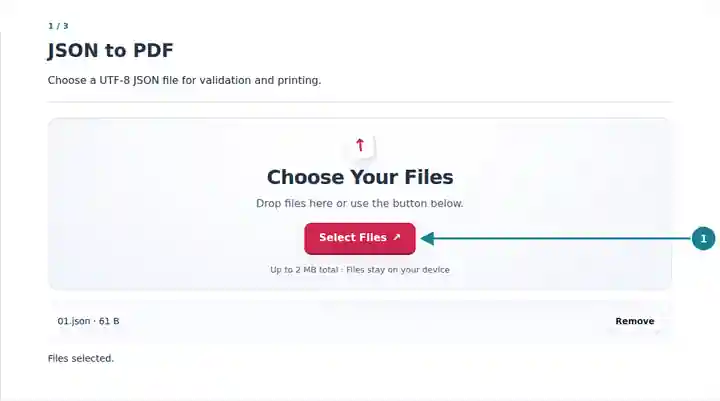
Choose formatting, paper, margins and text size.
Select the screenshot to enlarge it.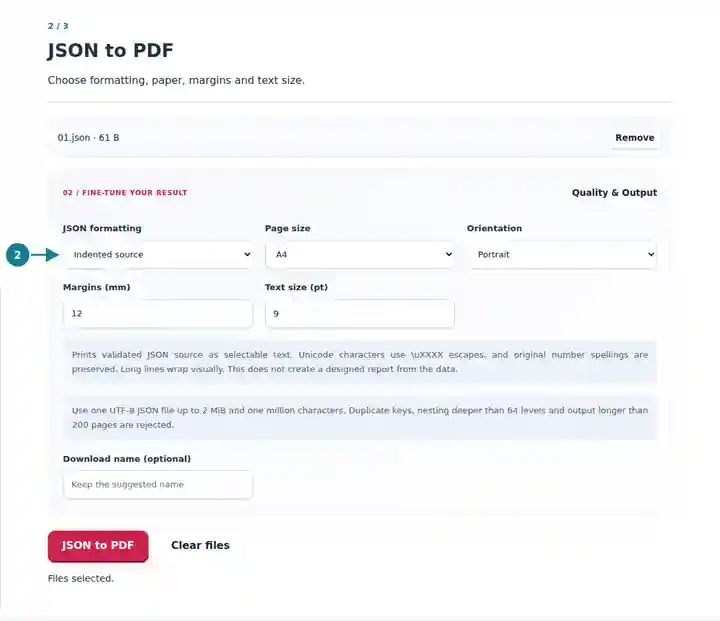
Download the source listing and compare a known value.
Select the screenshot to enlarge it.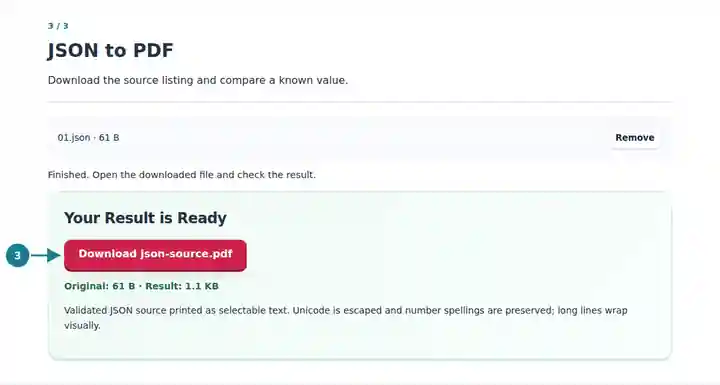
Screenshots show this toolkit using harmless sample files. Your file name, page count and settings may differ.
A PDF listing is convenient when reviewers need a stable printed reference beside a change request or technical document. Keep the original JSON for importing into software: visual wrapping can introduce line breaks when text is copied out of the PDF. The listing records the source, while validation of its business meaning remains your responsibility.
Attach a readable request or configuration sample to internal documentation.
Mark the exact value or key being discussed without running the JSON as code.
Print nested structures and compare the roles of arrays, objects and scalar values.
| Setting | What to Expect |
|---|---|
| Input | One UTF-8 .json file, up to 2 MiB and one million characters. |
| Validation | Maximum nesting depth 64 and 100,000 tokens; duplicate object keys are rejected. |
| Layout | A4 or US Letter; portrait or landscape; margins 5–30 mm and text size 6–24 pt. |
| Output | Selectable source text, up to 200 PDF pages. Unicode characters use \uXXXX escapes. |
Suppose an export contains an identifier longer than ordinary spreadsheet precision. Convert a small sample containing that identifier and compare every digit in the PDF. Also inspect a value containing an emoji: it appears as Unicode escape sequences, preserving its source characters without requiring an emoji font.
| Situation | What to Check |
|---|---|
| The JSON is rejected | Check for trailing commas, comments, unquoted keys, duplicate keys or an unfinished string. |
| Characters appear as Unicode escapes | This is intentional. The listing preserves the characters in JSON escape form instead of substituting missing-font symbols. |
| The result would contain too many pages | Use compact formatting, landscape orientation or a smaller text size, or split the source file. |
Print validated JSON source as selectable PDF text without rounding numbers.
Settings used: {"range": "1", "dpi": "72"}
Compare the source and result before relying on this tool. This sample checks a bounded operation; output mode and document-structure limitations still apply.
Checked on . Small synthetic sample processed with release 3.23.0 in Chromium 153. This is a recorded local check, not a live-host or every-document guarantee.
No. It validates the source grammar and prints the tokens. It does not run scripts, fetch referenced URLs or apply configuration values.
No. The PDF shows the JSON source. An invoice needs a separate template that maps specific fields to a document design.
Number tokens keep their original spelling, including decimal precision, exponent notation and negative zero. The tool does not calculate or reinterpret their values.