Choose A4, Letter or Custom Paper
Set a standard sheet or enter custom width and height in millimeters. Custom sides must fall within the interface’s 25–1,000 mm limits.

Fit PDF pages onto A4, Letter or a custom page size.
Drop files here or use the button below.
Up to 100 MB total · Files stay on your device
Preview the document here. For added content, this is a placement guide; check the saved output.
Fit PDF pages onto A4, US Letter or custom-sized paper while preserving each page’s aspect ratio. Resizing helps prepare mixed-size packets for printing and portals that expect a consistent page format. The page content is centered on the new sheet.
Selected pages are embedded into new pages at the requested dimensions. Pages outside the selected range are copied without a size change. A landscape setting swaps the chosen paper dimensions; the content is fitted without stretching it to fill the sheet.
Set a standard sheet or enter custom width and height in millimeters. Custom sides must fall within the interface’s 25–1,000 mm limits.
Choose Orientation for the new sheet. Landscape swaps the selected dimensions, allowing a wide table to fit on a wider output page.
Content is scaled proportionally and centered to fit the new page. Different source and target proportions may leave white space instead of stretching text.
Use a page range for a specific section. Pages outside the selection are copied without a size change, so the final file can still contain mixed dimensions.
Choose the PDF and select the pages whose paper dimensions should change.
Select the screenshot to enlarge it.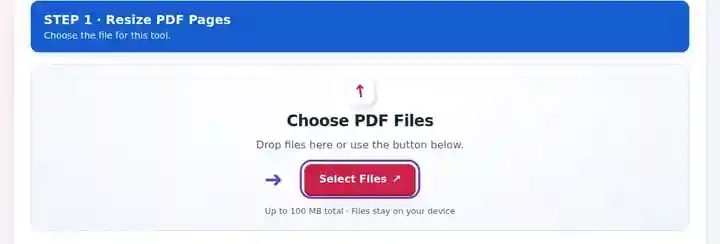
Set Page size, any custom dimensions and Portrait or Landscape orientation.
Select the screenshot to enlarge it.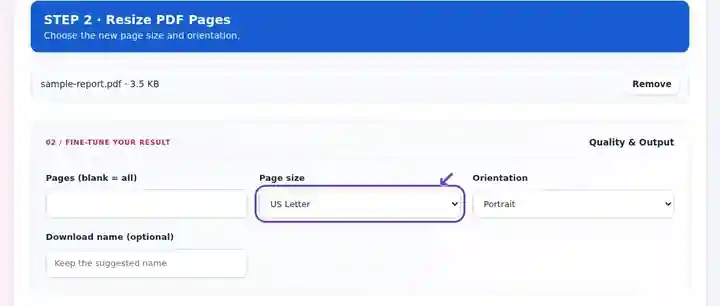
Download the resized PDF and check dimensions, small text and unused space.
Select the screenshot to enlarge it.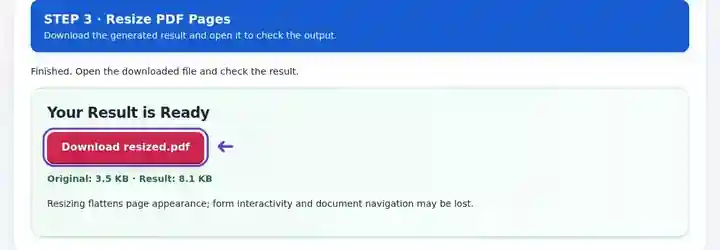
Screenshots show this toolkit using harmless sample files. Your file name, page count and settings may differ.
| Setting | What to expect |
|---|---|
| Accepted input | |
| Processing location | Your browser |
| File selection | One PDF |
| Input size | 100 MB total; decoded images and pages also have pixel limits |
| Document length | Up to 500 input pages. Selecting a small range does not bypass this source-document limit. |
Embedding page appearance can remove interactive forms and document navigation. It does not increase the detail in a low-resolution scan. Pages must have 0-degree rotation for this resizing method. Rotate PDF changes display metadata; it does not rebuild page artwork to keep it upright at 0°. If an upright page becomes sideways at 0°, return to the original and export a correctly oriented copy with normalized rotation from a suitable PDF editor or source application before using this operation.
A packet assembled from several sources can contain A4 pages, Letter pages and oversized tables. Resizing lets you prepare the selected pages for a recipient who expects a particular paper format, or make a working print copy that fits available paper. It changes page dimensions rather than trying to reduce storage size.
A student can make a mixed-source submission uniformly A4 where the course instructions require it. Check equations and footnotes at normal reading size after conversion; meeting a paper-size requirement should not make the work unreadable.
A print-room operator can prepare a working Letter copy of an A4 handout or a landscape copy of a wide table. Review the PDF before adding printer scaling, since resizing the document and scaling again in print settings can shrink it twice.
An administrator can fit oversized drawing sheets onto smaller paper for discussion copies. Preserve the authoritative full-size drawing separately and make the copy’s purpose clear; a resized print should not be treated as an unchanged scale drawing.
| Situation | What to do |
|---|---|
| There are white borders after resizing | They preserve the source aspect ratio. Crop unnecessary source margins first if appropriate. |
| The text is too small on A4 | A large drawing or spreadsheet shrinks to fit. Consider landscape or a larger sheet. |
| The source has rotated pages | If a page is upright only because of nonzero rotation metadata, export an upright copy with normalized rotation before resizing. Changing its rotation value alone does not preserve that orientation. |
Choose A4 for a Letter-size report and inspect the result at normal reading size. Proportional fitting can leave extra white space because the paper proportions differ. Check the bottom edge, footnotes and wide tables. A page-size change does not recalculate paragraph wrapping; if new line breaks are needed, change the source document’s paper size and export it again.
Leave the range empty and choose A4. Mixed original dimensions will be fitted onto the selected paper.
The fit preserves aspect ratio. Extra space may appear above, below or beside content.
The goal is paper dimensions. Use Compress PDF when the file’s storage size is the concern.
Continue with Crop PDF, Compress PDF, Rotate PDF.