Lossless Pixel Encoding
PNG saves the rendered pixels without JPG compression artifacts. DPI still determines how much detail is rendered.

Render PDF pages as lossless PNG images.
Drop files here or use the button below.
Up to 100 MB total · Files stay on your device
Preview the document here. For added content, this is a placement guide; check the saved output.
Render PDF pages into lossless PNG images. PNG works well for diagrams, screenshots and crisp text graphics when preserving the rendered pixels matters more than producing the smallest file.
Lossless encoding does not mean unlimited resolution. The selected DPI determines the rendered image dimensions. Page backgrounds are rendered white, so this is not a transparent object extraction.
PNG saves the rendered pixels without JPG compression artifacts. DPI still determines how much detail is rendered.
Export the page containing the chart or figure you need; leave the page field blank to include the full PDF.
Use screen resolution for previews or 300–450 DPI when small labels need a larger pixel canvas.
A single page is a PNG download. Multiple pages are supplied as numbered PNG files inside a ZIP.
PNG is useful when the page contains thin lines, interface screenshots, flat colors or small text. These details can suffer from JPG artifacts even though the photograph parts of a page look acceptable. A PNG lets you bring the complete rendered page into an image editor or a document that accepts pictures. The export has a white page background; it does not isolate a logo onto transparency. For the original vector diagram or editable labels, obtain the source artwork instead.
Export a specification page with fine leader lines and part labels for a review pack. Zoom into the resulting PNG and confirm that adjacent lines remain distinct.
Use a permitted diagram from a PDF lesson pack in a new worksheet. Preview it at the planned printed dimensions so students can read the labels.
Bring a PDF interface illustration into a help article without introducing JPG halos around buttons. Add a text explanation for readers who cannot read the image.
Choose the PDF and preview the page you want to render.
Select the screenshot to enlarge it.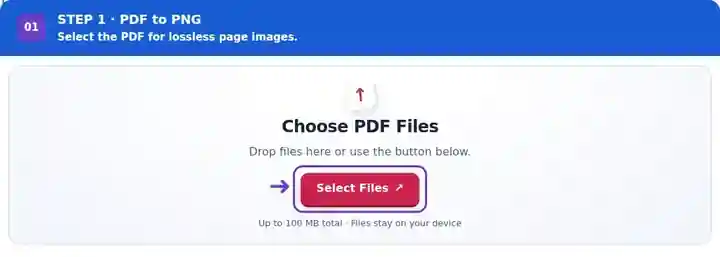
Select pages and a PNG image resolution.
Select the screenshot to enlarge it.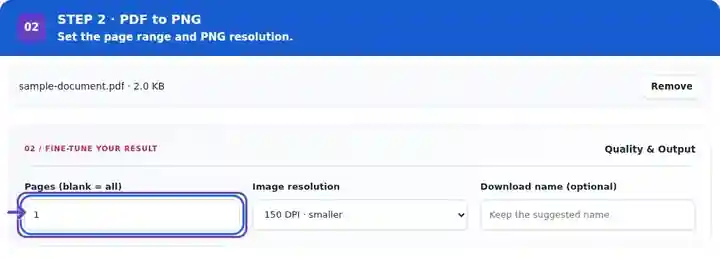
Download the PNG files and check text and diagram edges.
Select the screenshot to enlarge it.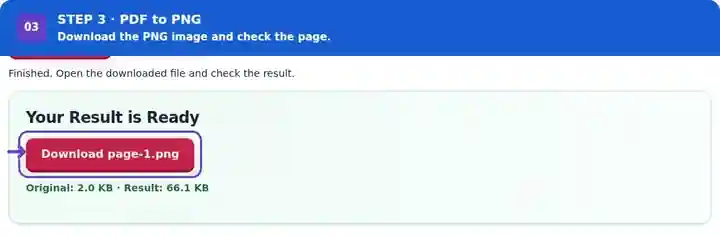
Screenshots show this toolkit using harmless sample files. Your file name, page count and settings may differ.
| Setting | What to expect |
|---|---|
| Accepted input | |
| Processing location | Your browser |
| File selection | One input file |
| Input size | 100 MB total; decoded images and pages also have pixel limits |
| Page selection | Up to 200 selected pages per job. Blank Pages means all pages only when the PDF has 200 pages or fewer; use separate ranges for a longer document. |
| Rendered image limits | 36 megapixels per page and 120 megapixels across selected pages. Lower DPI or choose fewer pages if the selection is too large. |
For a vector diagram, more rendering pixels can produce cleaner curves and labels at a larger display size. For a low-resolution scan, increasing DPI mostly produces more pixels describing the same blur. Lossless PNG preserves the rendered result; it does not repair the scan. Check the page at the dimensions where the image will be placed, and keep the PDF when readers would benefit from zooming vector content.
| Situation | What to do |
|---|---|
| The download is a ZIP | More than one page was selected. Extract the archive to access individual numbered PNG files. |
| The output is large | Lossless page images can be much larger than a vector PDF. Select only the required pages or reduce DPI. |
| The original scan is already blurry | Rendering cannot recover detail that is absent from the source image. |
For a chart intended for a report, export its page at 200 DPI and examine axis labels and thin lines. If the chart will occupy a large printed area, compare a 300 DPI copy. Keep the original PDF when vector scaling is more useful than a fixed number of pixels.
At the same DPI, PNG avoids JPG compression artifacts. Higher DPI is still needed when more pixels are required.
Enter a single page number in the range field. A one-page selection produces a direct image download.
No. This operation renders whole pages. Extract Images from PDF saves supported embedded raster objects separately.
Continue with Extract Images from PDF, Image to PDF, PDF Reader.